
IC-Bypass Tool Latest Update – Setup Download Guide

Many of us tend to forget our login credentials over time. However, forgetting certain accounts—such as an iCloud login—can create serious problems. If your device is reset while an iCloud account is still signed in, the device may become locked and unusable due to Apple’s iCloud Activation Lock.
When this happens, removing the iCloud lock can be very frustrating. Some online services claim they can unlock your device within hours, but these services often charge high fees that many people cannot afford.
To help solve this issue, tools like IC-Bypass Tool have been introduced. This tool aims to help users bypass the iCloud Hello Screen without paying expensive service charges. While it may require some time and careful steps, it provides a potential solution for users facing activation lock issues.
Below is an overview of the features and functions of the latest IC-Bypass Tool.
What is the IC-Bypass Tool?
IC-Bypass Tool is an all-in-one Windows utility designed to help users bypass the iCloud Hello Screen on supported iOS devices. The tool includes multiple functions such as device compatibility checks, passcode management, and device reset options.
It is designed to be simple to use and does not require registration to access its main features.
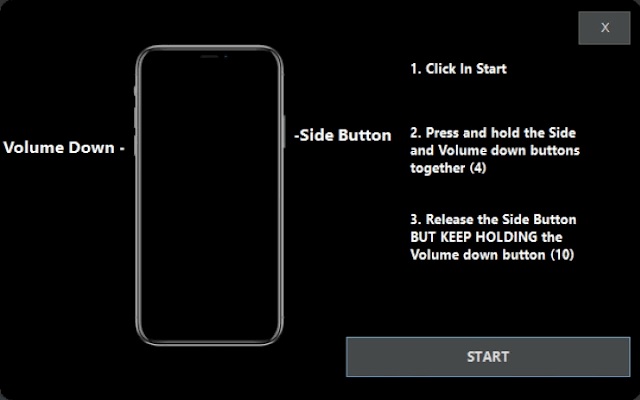
Key Features of IC-Bypass Tool
Ramdisk Options
Device Compatibility Check – Verify whether your device supports the process.
iOS Booting (iOS 15 / iOS 16) – Boot your device smoothly into the system.
Ramdisk Full Reset – Perform a full device reset.
Passcode Functions
Backup Passcode – Save a backup of your device passcode.
Read Owner Information – Retrieve stored device owner information.
Passcode Activation – Activate or manage passcode settings.
Hello Screen Options
Activation Creation – Configure activation settings.
Hello Screen Activation – Activate the device interface.
Data Erasure – Erase device data when required.
Purple Mode Features
Boot Purple Mode – Enter diagnostic mode for advanced device operations.
Change Serial Number (SN) – Modify device serial information.
Factory Reset – Reset the device to factory settings.
Fix Diagnostic Recovery – Resolve diagnostic recovery issues.
How the Tool Works
Like many iCloud bypass utilities, IC-Bypass Tool uses the checkm8 exploit to access certain areas of the iOS system. This allows the software to perform operations such as activation bypass, device resets, and diagnostic functions.
The tool also supports Purple Mode, which enables advanced device diagnostics and operations such as serial number changes.
Compatibility
Operating System: Windows 10 / Windows 11
Supported Devices: Compatible devices that support the checkm8 exploit.
Tool Development
The first version of IC-Bypass Tool was released in 2022. Since then, the developer has continued improving the software with regular updates, particularly enhancing the iCloud Hello Screen bypass functionality.
One of the notable aspects of the tool is that it is free to use, with no registration requirements.
Downloads
Latest IC-Bypass Tool v6.6.0
Latest iCloud Bypass Driver
(Download links should be added here.)
If you follow the instructions carefully, you should be able to complete the process successfully. If you encounter issues, review the steps again to ensure everything was done correctly.
Thank you for reading, and have a great day.